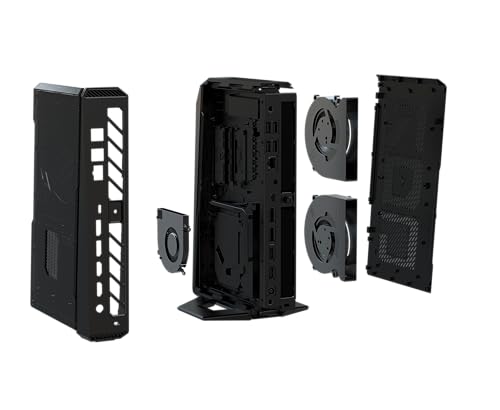

The ROG GR70 is a mini PC for someone who wants to game at a desk or connect to a TV without finding room for a tower. Plan for a separate display and controls. The RTX 5070 here is the laptop graphics chip. When comparing systems, use results for the laptop version and check the particular PC’s graphics power setting, since a desktop card with the same number can behave differently.
Check what comes installed
The product name and spec card identify the Ryzen 9 9955HX3D, while the store title says up to that processor. Confirm the exact CPU on the selected store configuration. The memory figure is a supported maximum. Check how much memory comes installed, along with the drive capacity and whether the unit ships with an operating system. Those details determine what you need to get it running and how many games you can keep installed.
For a living-room setup, confirm that the display connection supports the resolution and refresh rate you want on your TV. Check the space available around the case, especially if it will live on a shelf. If you expect to replace the graphics hardware later, or want a machine with a built-in screen that you can easily move between rooms, compare a tower or a gaming laptop.
The gaming laptop and desktop comparison can help you decide which parts of the setup need to move with you.
What reviewers say
Igor’s Lab tested a GR70 with 64GB of memory and a 2TB drive, capacities the store listing does not confirm. Igor’s Lab ran four games at 1440p using medium presets. In the more demanding titles, the site recorded averages below 60 frames per second. Igor’s Lab also found that the laptop GPU’s memory capacity limited some heavier local AI workloads. The gaming results show where lowering the resolution or adjusting individual settings may be worthwhile on a sharp monitor.
Sources: Igor’s Lab