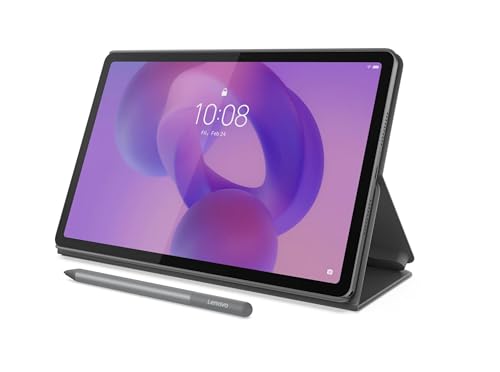
The Lexipad 10 is aimed at families looking for a shared screen for learning activities and simple entertainment. Separate profiles are useful if siblings take turns and need different apps or rules. Before choosing it for that reason, check which controls are available per profile. Look for the limits you actually plan to use, such as approved apps, time limits and restrictions on purchases.
Start with the apps your child needs
The 10-inch touchscreen gives an adult and child room to look at a worksheet or a story together. HD resolution is a more modest fit for dense textbook pages, so consider how often your child will need to zoom to read small print. The A523 processor and 4GB of memory make this a configuration to consider for one activity at a time. If you expect to keep a video call, multiple browser tabs and a school app open together, look for a tablet with more memory.
Match TLN10EN on the store page and check for storage capacity, the Android version and which app store or installation options are available. If a school requires a specific app, confirm that it will run and can be installed under the profile the child will use. Check what protection comes in the box and whether an offline activity works without an account or internet connection. The tablet guide for families covers what to consider for children who will share a device.