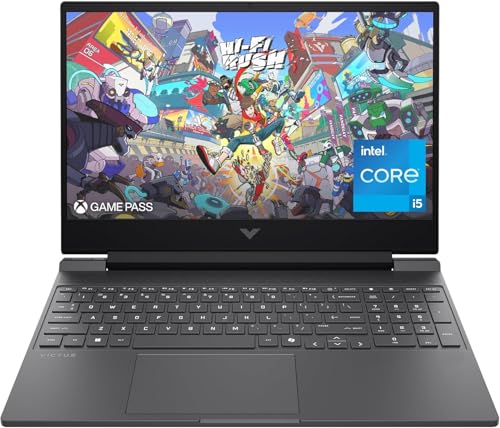



The Acer Nitro V 16 (ANV16-A31-R8XV) pairs an AMD Ryzen 9 270 processor with an NVIDIA GeForce RTX 5070 laptop GPU for high-frame-rate 1080p-class gaming.
Its 16-inch WUXGA (1920 x 1200) IPS display runs at 180Hz. It has 16GB of DDR5 memory, a 512GB Gen 4 SSD, Wi-Fi 6E and a 4-zone RGB backlit keyboard.
The Nitro V 16 suits someone who plays competitive games on the built-in screen and wants enough graphics headroom to try more demanding titles. A fast panel can show more of the frames the laptop produces during quick turns. In a demanding game, try lowering shadows and reflections first if the frame rate drops during busy scenes. The screen’s native resolution also leaves some extra vertical room for a browser or editing timeline compared with a standard 1080p panel.
Plan for game installs and project files
The 512GB drive is worth thinking about if you rotate through several large games. The operating system, updates and launchers all take up part of that space. Keep room for downloads and temporary files if you also edit video on the laptop. Check whether you can add another SSD or would need to replace the supplied drive. The guide to storage types explains how drive capacity and speed affect different tasks.
If you mainly want to browse, write or spend long stretches away from an outlet, consider a laptop built around that routine. For editing work that depends on subtle color differences, check the brightness and color coverage of this exact panel or plan to use a calibrated external screen.
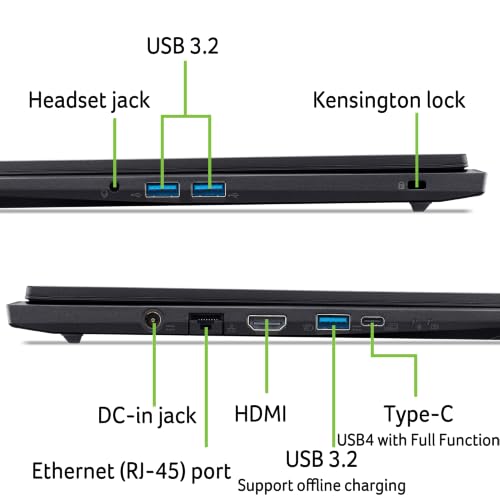
Match the ANV16-A31-R8XV code on the store page. Check the graphics power limit if you are comparing it with another RTX 5070 laptop. If you already own a monitor or dock, confirm which video connections the Acer supports before planning your desk setup.