



The G61SH suits a player who wants a fast display in a conventional desk setup. QHD gives you more detail to work with than Full HD and asks the graphics card to draw fewer pixels than 4K. That balance is useful if you split your time between quick multiplayer matches and single-player games where you want to make out detail in dark scenes. Individual OLED pixels can switch off, so dark areas can stay dark around bright objects.
Consider your room and your work
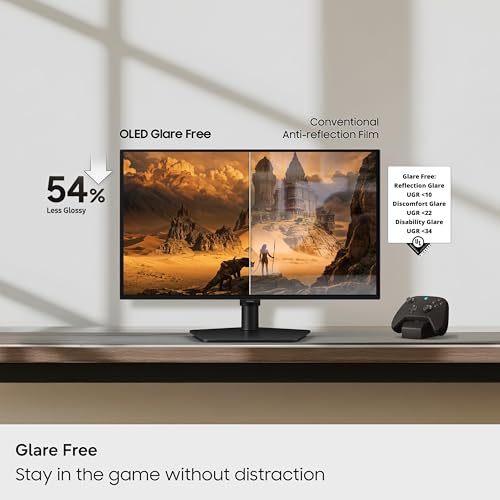
The store title calls out a glare-reducing finish. Think about where the light in your room actually comes from. A window directly opposite the screen may call for a different desk position. For editing, the listed Pantone validation is a starting point. Check how the monitor handles the color space you deliver in and whether you can calibrate it to that workflow. If nearly all your work involves static dashboards, spreadsheets or fixed toolbars, compare an LCD because prolonged static content can contribute to OLED burn-in.
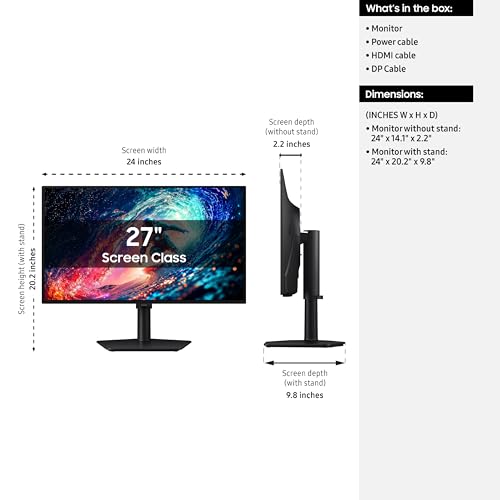
Match the full LS27HG612SNXZA model code on the store page. Confirm that your graphics output and cable support the display mode you want, especially if you’re connecting through a dock. Check the return policy and warranty terms for panel issues, including burn-in. If you want to put it above a laptop, check the stand’s height range first. The monitor buying guide can help you compare how these trade-offs fit your desk.
What reviewers say
Vortex Gaming’s review recap covers a European G61SH variant. Vortex Gaming reported that its matte finish helped with reflections and that colors held up well when viewed from the side. The recap also noted a slight halo around text, which may matter if you spend as much time reading as gaming. Vortex Gaming described deep blacks in HDR while noting that the brightest output came in specific scenes. It also flagged possible flicker on some loading screens.
Sources: Vortex Gaming