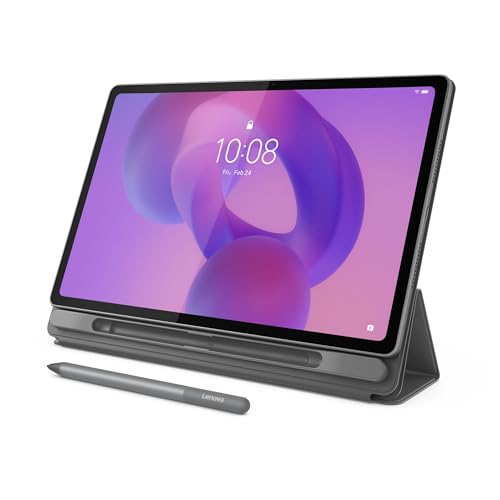




The Idea Tab Plus makes sense for a student who reads full-page handouts and marks them up during class. The larger screen leaves room for margins and diagrams that would otherwise need frequent zooming. The pen gives you a way to work directly on the page, and the folio is handy if you carry the tablet between rooms. If most of your reading happens one-handed on the bus, try a smaller tablet before committing to this size.
From lectures to evenings
The 2.5K panel gives small type and fine lines more pixels, while the 90Hz refresh rate can make a long page feel smoother as it scrolls. The extra screen area can also be useful when you follow a tutorial and take notes beside it, provided your apps support that layout. The tablet guide for notes and streaming explains how to weigh screen space against portability.
With 8GB of memory, the natural fit is a routine that moves between documents, the browser and a note app. If you mainly want to play demanding 3D games or edit large video projects, check the requirements of your specific apps and compare faster hardware. For trips, leave space in the 128GB storage for the files and video you want offline as well as for apps and updates.
Match ZAG70917US on the store page and confirm the pen and folio are in the selected box. If you already have a note app in mind, check how it exports your annotations and whether you can read them on your other devices.
What reviewers say
Notebookcheck reviewed the version with 256GB of storage. The site found the IPS screen bright and its colors accurate, and liked the speakers for playback. Notebookcheck also found the metal body sturdy, which is useful for a tablet that spends part of its day in a bag. For routine browsing and streaming, the site considered the performance adequate. Notebookcheck found the graphics performance a weaker point and saw little reason to choose this model for demanding games.
Sources: Notebookcheck