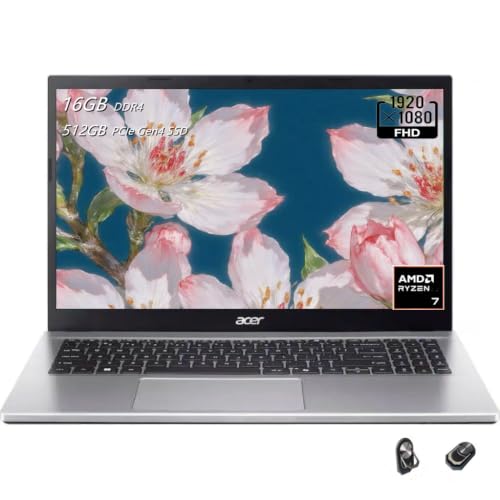


This Aspire Go 15 is useful at a kitchen table or shared desk where a large Full HD panel makes worksheets easier to read. The Ryzen 7 7730U is a mobile chip for general work. Its integrated graphics are a practical fit for video calls and light photo adjustments, while heavy rendering calls for dedicated hardware.
Sixteen gigabytes gives you room for a video meeting, a group of browser tabs and office apps in the same session. It also helps if you switch repeatedly between a PDF and a large spreadsheet. If you edit layered images in batches or run multiple development tools at once, compare with 32GB. Memory capacity is most useful when several things need it together.
See the guide to laptop memory to compare capacities for everyday work.
See the guide to processor names to see what the chip label tells you.
At the store
This drive size is practical for documents, applications and a moderate local media collection. A photo library and downloaded video can grow faster than everyday work files. Check the space your current folders already occupy, then allow for the operating system and future updates. If you spend time away from reliable internet, remember to count materials you need to keep offline.
Check the full model number and the store’s selected configuration. If you expect to add memory or storage later, confirm the options for this exact model. If you work with specific peripherals, check their requirements before buying.
Make a checklist for a shared computer
This Aspire can serve as a shared household computer if most sessions involve forms, homework or other work that people can do in turns. Give each regular user a separate account so browser history, downloads and saved sign-ins stay with the right person. Keep the family printer or scanner in mind. If two people need to use it from their own accounts, check who can install the software and whether they can both get to it afterward.
Before replacing an older PC, list what you would lose if you started over without it. Check for bookmarks, saved templates and software licenses tied to the old machine. If you need to open a template made in an older program, see whether the version you plan to install preserves its formatting.
If the household often needs two uninterrupted work sessions at once, plan for a separate device. Use the first-hour setup checklist to decide what needs to be ready before the first deadline.
What reviewers say
Expert Reviews tested an AG15-42P with a different Ryzen chip. The site found the keyboard deck reasonably firm and the keys short in travel but easy to feel. Expert Reviews noted that its keyboard lacked backlighting, which can matter in a dim room. The site also found the display disappointing on its sample. If you and another person often look at the screen together, check the viewing angles of the panel in the offer you are considering.
Sources: Expert Reviews