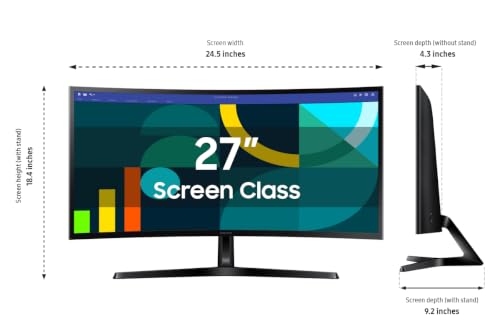



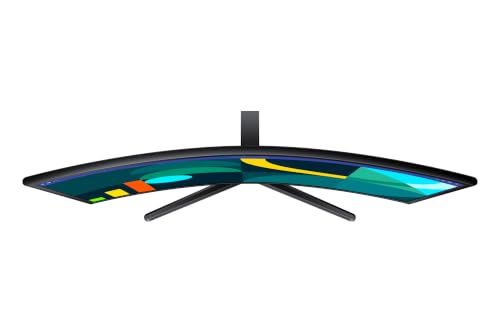
The Essential S3 suits a desk used for browsing, video classes and a bit of gaming after work. The large picture is useful if you like to sit back from the desk or make text easy to read. The curve makes most sense when one person sits near the center of the screen. If you often sit off to one side or share the display with someone beside you, compare it with a flat monitor.
More physical space for a window
Full HD at this size makes text and icons physically larger than on a smaller Full HD monitor at the same scaling. It gives you the same number of pixels to arrange your windows. If detailed drawings, small spreadsheet cells or two dense documents side by side are part of your routine, look for QHD or 4K.
The 100Hz option can make scrolling and cursor movement look smoother when the computer supports it. For occasional gaming, it gives you more room to show extra frames when the game can produce them. If you mainly play competitive shooters and your PC already runs them at high frame rates, consider a monitor with a higher ceiling.
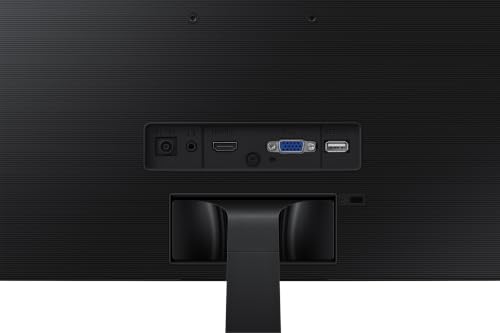
Check the exact model code and verify which input carries the refresh rate you want. Make sure your laptop or dock has a compatible output. If you plan to reuse a monitor arm or need the screen to sit higher, confirm mounting support and stand adjustments on the store page. The home office monitor guide can help you compare size and resolution.