


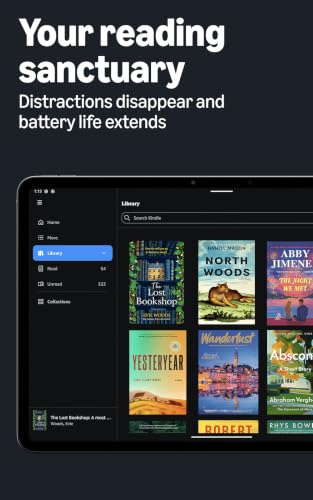


The Alexa Tablet 12 Pro fits a household that wants one large screen for streaming, recipes and reading, with room for messages or a browser alongside another app. The 12-inch display is useful on a table or a stand where you sit back a little. If you read one-handed on a commute or pass the tablet to a young child, compare a smaller model that is easier to hold for a full session.
Where the larger screen helps
The Nanomatte finish is worth considering if you often read under overhead lights. The 2.8K resolution gives small text and fine image details more room to stay clear. The 120Hz refresh rate can make scrolling look smoother, while app layout determines how much of the screen you can actually use. Check whether your usual apps have a tablet layout, especially if you plan to use the device for classes or work.
The 8GB of memory gives you room to keep several everyday apps open. Use the listed 128GB storage to judge how many offline shows, games or large files you want to keep. If you need a tablet for demanding creative work, check your app and accessory requirements first. On the store page, confirm the screen finish and whether a pen, keyboard or charger comes with the selected bundle. Check any account or regional requirements if Alexa+ is part of the reason you want it. See the guide to tablets for notes and streaming for help choosing a size.
What reviewers say
Engadget reviewed the Nanomatte version and liked how it spread harsh reflections, making the screen easier to read under challenging light. The site found it easy to install Google Play apps despite the prominence of Amazon services on the home screen. Engadget also noted that some apps made little use of the larger display, with Slack as an example. TechRadar found the Nanomatte screen clear and colorful, though direct light could still cause reflections. TechRadar saw performance as suitable for light multitasking and moderately demanding apps.


