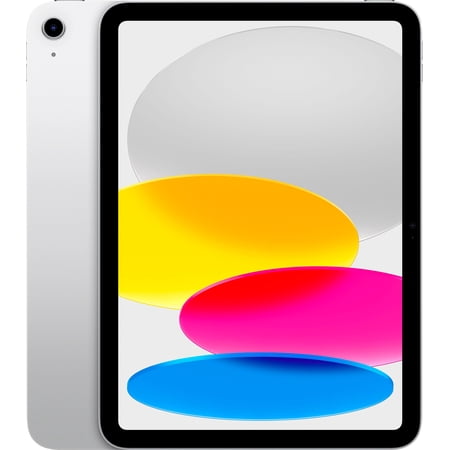


This is the silver 11-inch iPad with the A16 chip, 128GB of storage and Wi-Fi. It fits the kind of work that starts on a phone and feels cramped there, such as reading a full page, following a tutorial or looking over a school assignment. An 11-inch tablet also gives you a larger view on calls without using the desk space a laptop and its keyboard take up.
Think through what will live on the tablet. App downloads, saved shows and a photo library can coexist on 128GB if you manage them, but several large games or shared family downloads can change the calculation. Check what your account will sync automatically. The guide to device storage explains what the storage number is measuring and how it differs from working memory.
Check your setup before buying
The Wi-Fi model is a fit for home, school or other places with dependable access. If you need internet on a commute or at a job site, plan for a phone hotspot or compare a cellular version. Download essential files ahead of time if a connection is uncertain.
Look elsewhere if you plan to replace a computer that runs a desktop-only app. Try the iPad version of the tool you need, including opening and exporting a representative file. If you want a pencil, a keyboard or a case, check compatibility with the A16 model and verify what the retailer includes.
What reviewers say
In its hands-on tablet roundup, WIRED treats the A16 iPad as a sensible option for everyday use. The reviewer discusses the front camera’s placement for calls in landscape and explains where a basic iPad fits next to more expensive models. Those observations help if the tablet will spend most of its time propped up for video calls, lessons and casual browsing. The comparison is also worth reading if you plan to use a stylus or keyboard, since the accessory choices differ across the iPad range.
Sources: WIRED